

SHRA publishes notices, flyers, forms and reports as documents. Every document posted to this site must be readable with a screen reader, so each one is either published as a web page or as a tagged PDF that passes accessibility checks.
Example: Waiting List Scam Alert
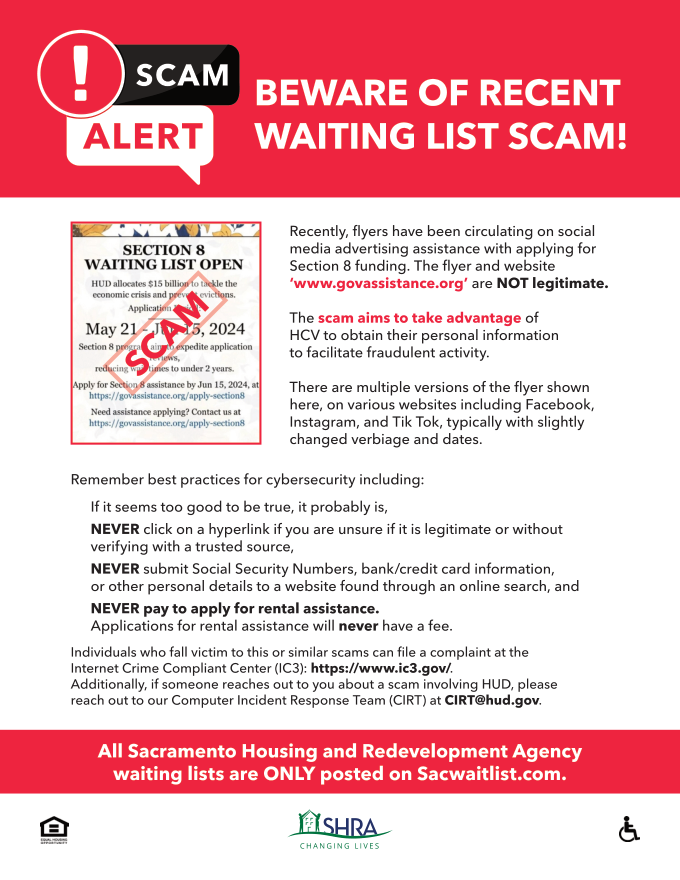
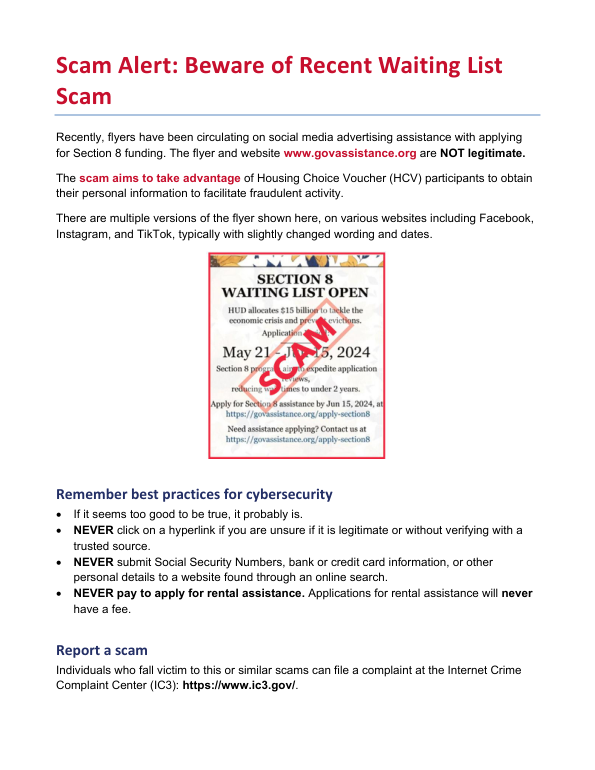
The scam alert flyer was posted as a scanned picture. A screen reader finds no text in it at all, so a blind resident hears nothing, and the warning cannot be searched or enlarged without blurring.
Automated checks, before and after
| Check | Original flyer | Remediated flyer |
|---|---|---|
| Text a screen reader can read | None (scanned image) | Yes |
| Tagged structure (headings, list, figures) | Tags present but empty of text | Yes |
| Alternate text on pictures | 0 of 3 | All pictures |
| Document title shown in the title bar | No title | Yes |
| Document language | Set | Set (English) |
| Tab order follows structure | No | Yes |
| Banner text contrast | 4.23:1 (white on #ee243f) | 5.88:1 (white on #c8102e) |
What we found across the site
The 16 pages in the baseline review link to 138 PDF documents. Of the first 30 checked automatically, 27 failed at least one check: most are untagged, have no document language, or show the file name instead of a title. Remediation starts with the documents residents use most (applications, notices and forms), and replaces documents with web pages where that serves residents better.